
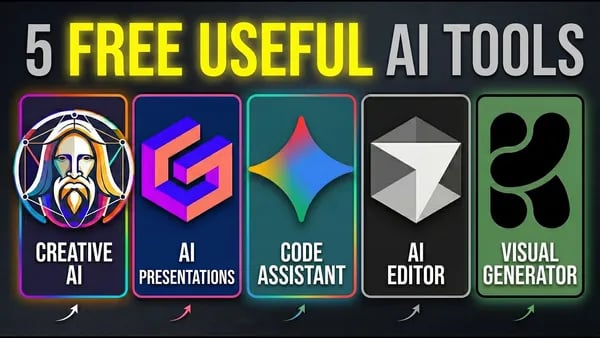



Have you ever come across a video promising ten free AI tools, only to find yourself filling out credit card details? Frustrating, right? I decided to embark on my own quest for genuinely free AI tools that don't come with sneaky trials or hidden features. After testing multiple options, I discovered some gems that could completely change the game for creators, coders, and anyone in between. Here’s what I found!
1. The Frustration of AI Tool Trials
Every week, I come across videos promising "10 free AI tools you need." However, many of these tools turn out to require a credit card or impose trial limitations after a short period. This common practice, known as Freemium Models, often leads to disappointment when the free features are restricted or locked behind paywalls. My own experience shows that many so-called free tools are actually just trials in disguise, making it frustrating to find truly free solutions.
As I navigated this landscape, I realized how important it is to identify tools that are genuinely free—without fake limits or hidden costs.
“Navigating the sea of free tools is like hunting for buried treasure; there's a lot of fool's gold out there.”
2. Unveiling the Top Free AI Tools
In the world of AI, finding genuinely free tools can be challenging. I’ve tested several options that offer real value without trial limits or hidden costs. Gemini Code Assist is a standout, working directly inside your code editor like Visual Studio Code. It helps explain code, fix errors, and generate tests seamlessly—no need to copy and paste. Cursor Code Editor takes project management further, allowing you to add features, refactor, or fix errors across multiple files through an interactive chat panel. For visual design, AI Design Tools like Create AI and Leonardo AI enable creating stunning assets and backgrounds with prompts, sliders, and daily token resets. These tools are not hype; they’re practical solutions for today’s creators, making coding and design more accessible and efficient without upfront costs.
3. How to Effectively Use AI Tools
To maximize efficiency with AI tools, start with simple installation steps. For example, installing the Gemini Code Assist extension in VS Code takes just a few clicks—simply search for it in the Extensions marketplace and sign in with your Google account. Once installed, you can highlight code and right-click to request explanations, fixes, or tests, directly within your editor.
Similarly, Cursor allows you to execute commands like adding features or refactoring across your project by opening the chat panel and typing tasks. Real-life scenarios, such as fixing bugs or designing visuals, become faster and more intuitive.
Pro tip: Explore all features and practice regularly to unlock the full potential of these tools, ensuring you save time and improve your work quality. Mastering these tools can significantly reduce coding time and improve quality.
4. Free AI Tools for Creatives
Creating engaging visuals and presentations doesn’t have to cost a dime. Several free AI design for creatives tools help you craft stunning images, mockups, and slides effortlessly. Create AI stands out as a powerful visual customization tool, allowing real-time tweaks for YouTube thumbnails, social media posts, or concept art. Its intuitive sliders let you refine style, lighting, and mood easily. Gamma simplifies presentation AI by transforming prompts into well-structured slides, documents, or websites—"Why pay for slides when you can generate them effortlessly?" These hands-on tools enable anyone to design, mock up, and present without upfront costs. Exploring different platforms reveals their capabilities for visual customization, making creative workflows more accessible and efficient for all.
5. The Road Ahead: Future of Free AI Tools
Looking ahead, the future of AI tools promises exciting developments, especially in making AI more accessible and powerful. As AI trends 2026 emerge, we can expect more intuitive, versatile, and user-friendly tools that cater to both beginners and experts. Advances may include smarter automation, improved natural language understanding, and seamless integration across platforms.
Balancing quality and accessibility will be key, ensuring that innovative AI remains available to everyone without sacrificing performance. Based on current AI development predictions, we might see free tools that leverage AI to enhance creativity, coding, and productivity even further.
"The future is bright for accessible AI; we’ve only scratched the surface." If you're interested in more niche free AI tools, stay tuned for upcoming updates and insights.
6. Conclusion: The Power of Free Tools
Throughout this exploration, I’ve highlighted several genuinely free AI tools that can significantly benefit creators and coders without hidden costs or limitations. Tools like Gemini Code Assist and Cursor enhance coding workflows directly within your environment, making development more efficient. Visual creators can leverage Create AI and Leonardo AI for stunning visuals, while Gamma simplifies presentation and content creation. Exploring free tools opens doors to creativity and productivity without the financial burden. These aren’t hype tools—they’re practical, accessible resources you can start using today. I encourage you to take advantage of these free options, share your community feedback on AI tools, and discover how they can elevate your projects. The benefits of free tools are clear: they empower you to innovate without limits. Dive in and see what you can accomplish!