



Have you ever looked at the endless possibilities of AI and thought, 'I could use that for my business!'? I felt that spark of inspiration one evening while scrolling through a YouTube video. A lightbulb moment happened: why not create my own custom GPT to help me with my website design project? In this post, I'll take you through my journey—from using the ChatGPT dashboard to enhancing my AI's capabilities with expert knowledge.
Exploring the GPT Creation Process
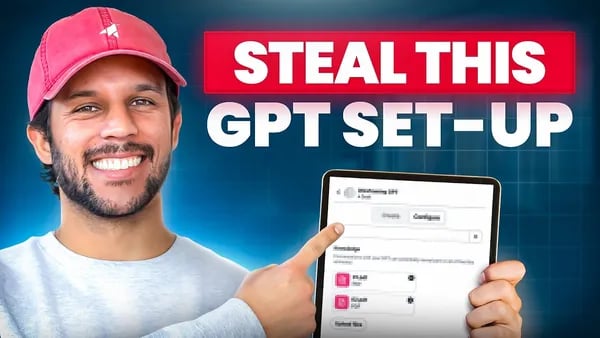
Creating your own custom GPT starts with a simple navigation to the GPT dashboard. From there, clicking on 'create' initiates the process. The dashboard interface is user-friendly, making it easy to understand the necessary fields: name, description, and instructions. I also consider the importance of building a knowledge base by uploading relevant PDFs and images, which helps tailor the GPT to specific expertise, like website design. The dashboard's clear layout and helpful prompts simplify the custom GPT creation process. As I fill out the details, I find that creating my own GPT is surprisingly intuitive, even for beginners. Visual support through screenshots can further enhance understanding of each step.
Tailoring Your GPT’s Knowledge Base
Selecting the right documents is key to customizing your GPT effectively. Use PDFs that contain expert insights relevant to your goals, such as design principles or industry best practices. Upload essential materials that align with your specific objectives, whether they are PDFs, images, or other media types, to create a comprehensive knowledge base. Incorporating diverse media enhances GPT functionality by providing a richer context. The right knowledge base is essential for your GPT to provide valuable insights. For example, I uploaded PDFs from renowned designers and screenshots of competitors’ websites to improve my web design GPT. This targeted knowledge integration ensures your AI delivers precise, expert-driven responses tailored to your needs.
Utilizing the CO-STAR Framework for Effective Prompts
When creating prompts for my custom GPT, I rely on the CO-STAR framework to ensure clarity and relevance. This approach involves defining the context—such as my pest control business and web design goals—along with a clear objective. I specify the desired style and tone to match my audience, then provide instructions that guide responses effectively.
Using the CO-STAR framework, I quickly refined my prompt creation process, making my interactions more precise and productive. Effective prompts yield immediate, relevant responses, saving time and boosting my productivity in designing websites and gathering expert insights.
Creating Visual Assets to Represent Your Custom GPT
Designing visual assets, especially an icon, is key to representing your custom GPT effectively. Request an icon design that reflects your GPT’s purpose, such as website design or AI-driven branding. Incorporate visually appealing elements that align with your brand and enhance user engagement. When creating these assets, consider the user interface and user experience, ensuring they are intuitive and attractive. Tools like Canva, Figma, or Adobe Illustrator can assist in crafting professional icons.
As I discovered, there's something satisfying about seeing your ideas visually represented. Visual branding for AI not only improves recognition but also helps users quickly understand your GPT’s function, making interactions more seamless and impactful.
Feedback and Iteration for Continuous Improvement
Regularly evaluating the responses generated by your custom GPT is essential for ongoing AI improvement. I find that modifying prompts based on output helps refine accuracy and responsiveness. Encouraging team feedback creates a collaborative environment where insights lead to better performance.
Feedback is crucial; it’s how I evolve my custom GPT to better fit my business needs.Adjusting prompts after each interaction makes a significant difference in achieving desired results. This iterative process ensures the GPT adapts to changing needs and improves over time, leading to more effective and tailored outputs. Embracing continuous feedback mechanisms allows for smarter, more efficient AI, ultimately boosting productivity and quality in my projects.
Leveraging External Resources for Expertise
Using YouTube for content is a powerful way to gather insights and inspiration for creating a custom GPT. I explored transcripts from industry experts, which helped shape my GPT’s knowledge base, especially for web design. Podcasts and articles also serve as treasure troves of expert opinions, providing diverse perspectives that enrich the AI’s understanding. Merging various media into your knowledge base ensures a well-rounded, cross-media information collection—key to building a robust GPT. I found that sourcing expertise from multiple channels, like YouTube videos and curated PDFs, enhances the accuracy and depth of your AI. This approach allows you to tap into a wide array of insights, boosting your productivity and expertise sourcing efforts effectively.
Final Thoughts: Building an AI Army of Experts
Creating custom GPTs has proven to be surprisingly simple and highly effective. With tools like the CHBT dashboard, I can quickly tailor AI models to specific needs, such as web design consulting or industry analysis. The future of AI holds immense potential for scaling businesses, enabling us to assemble an AI army of experts that enhance productivity and decision-making. These tools can streamline operations, provide instant feedback, and unlock new opportunities for growth. As I reflect on my experience, I realize that integrating AI into daily workflows dramatically increases efficiency. I encourage others to take the leap into custom AI solutions—it's a game-changer for any business looking to stay competitive in an evolving landscape.